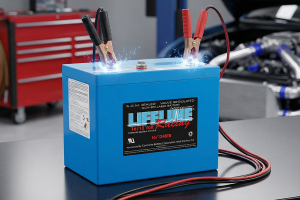
Lithium Battery Not Charging? 11 Proven Troubleshooting Fixes
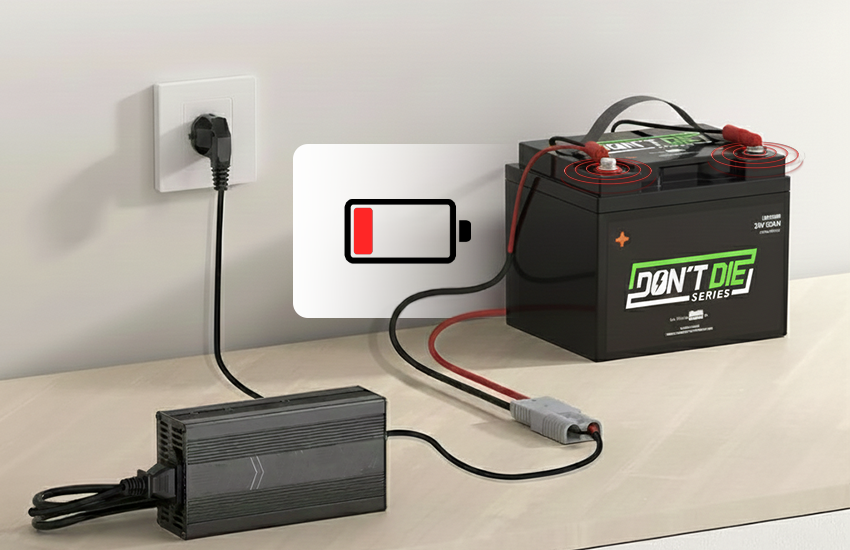
Ever plug in a lithium battery and get… nothing? No charging, no progress, just that sinking feeling that the battery might be done for. Most people jump straight to “it’s dead,” but that’s usually not what’s actually happening.
In many cases, charging stops due to built-in safeguards. This includes charger mismatch, temperature limits, or voltage protection. The battery looks dead, but it’s really just refusing to charge under the current conditions.
This guide breaks down 11 common reasons lithium batteries stop charging, and ways to figure out what’s going on. It also covers quick checks to help decide when a battery is worth fixing and when to replace it.
What “Lithium Battery Not Charging” Means
When someone says a lithium battery is “not charging,” it doesn’t point to one single problem. That phrase is used for wildly different situations, and each one signals another kind of issue happening behind the scenes.
In vehicle setups like cars, motorcycles, and powersports, the problem usually falls into one of three patterns:
Not charging at all: no response when connected to a charger
Not charging fully: charging stops early (often around 80-90%) or shows “charging” with no progress
Not charging anymore: the battery used to charge, but now fails across multiple chargers
Those differences matter. They help narrow down whether charging is being blocked, limited, or shut down completely.
Lithium batteries don’t accept power automatically. Charging is controlled by the battery management system (BMS). It checks conditions before allowing current to flow.
The decision is based on a few core factors: voltage level, temperature, and whether the charger is compatible and stable. If any of those checks fail, charging is refused by design.
Condition detected | Charging behavior |
Voltage too low | Charging blocked |
Battery too cold | Charging disabled |
Charger mismatch | Charging rejected |
Unsafe condition | Charging stopped |
From the outside, all of these look like “not charging.” Internally, they’re very different problems - and that’s why identifying which one is happening matters.
11 Common Causes Behind a Lithium Battery Not Charging
If a lithium battery is not charging, something in the system is preventing it from accepting power. Here are the most common causes of charging failures and quick steps to fix them.
1. Faulty or Incompatible Charger
A faulty or incompatible charger is one of the most common reasons a lithium battery won’t charge. The charger may light up, click on, or show it’s connected. But that doesn’t mean it’s actually delivering usable power to the battery.
Lithium batteries are picky about what they accept, even when everything looks connected. A charger can work while still delivering power that the battery refuses to take. Common charger-related problems include:
Output voltage that doesn’t match the battery’s requirements
Current that’s too low to start or sustain charging
Charger profiles not designed for lithium batteries
In these cases, the battery management system steps in and blocks charging. From the outside, it looks like nothing is happening - even though the charger is plugged in and powered.
Smart chargers add another layer of confusion. Many will detect a battery, run a quick check, then stop immediately if something doesn’t line up. That’s why a charger can seem “fine” but never actually charge the battery.
2. Damaged, Loose, or Dirty Charging Cable or Port
Lithium battery that won’t charge often deals with a connection problem, not a battery failure. Charging cables and ports take constant abuse in vehicles - vibration, movement, plugging, and unplugging. This makes the battery wear out faster than most people expect.
Loose or unstable connections cause charging to act flaky. The system may detect a charger and show a charging icon, but minimal current actually reaches the battery.
Dirty or contaminated charging ports cause the same confusion. Dust, corrosion, or moisture inside the port can block proper contact. The charger connects, but power delivery is weak or incomplete, so the battery never gains charge.
Signs the cable or port is the problem:
Charging starts and stops when the cable is moved
The charging symbol appears, but the percentage doesn’t increase
Charging only works at certain angles
The connector feels loose or doesn’t seat firmly
3. Insufficient Power Supply
Plenty of charging problems come down to power, not the battery itself. Low-output adapters and shared outlets often can’t supply enough current for lithium batteries. Everything may look connected, but charging never really starts.
Lithium batteries require a minimum amount of current to begin charging. If the power supply cannot meet that demand, charging may never start or may stop immediately.
Power source | What typically happens |
Low-output wall adapter | Charger turns on, battery does not charge |
Vehicle USB port | Charging icon appears, no increase in charge |
Shared power outlet | Charging starts, then drops out |
Extension or split supply | Unstable or inconsistent charging |
This issue slips past many people because everything looks like it’s working. Indicator lights come on, screens respond, and the charger appears connected. So it feels like charging should be happening. In reality, the battery isn’t getting enough current to make a difference.
4. Lithium Battery Won’t Charge When Cold
Cold weather can stop a lithium battery from charging even when nothing else appears wrong. The battery may still power a vehicle or device, yet refuse to accept a charge. This makes the problem easy to misread as a failure.
Lithium chemistry has strict charging limits at low temperatures. When the battery is too cold, charging is blocked on purpose. This happens even when the voltage is present, and the battery seems responsive.
It’s a normal, protective condition that’s usually temporary rather than a sign of permanent damage.
5. Lithium Battery Too Hot to Charge
Heat can stop a lithium battery from charging just as effectively as cold, but it usually does so in a different way. Extended riding, heavy electrical loads, fast charging, or poor airflow can raise battery temperature beyond safe charging limits.
As the heat increases, the battery management system begins to limit charging. Charging may slow down, pause unexpectedly, or refuse to start altogether, even though the charger is connected and powered.
This response is intentional and helps protect the battery from damage caused by excessive internal temperature. Once the battery cools down, charging behavior often returns to normal.
After a rest period or reduced load, the same battery may accept a charge again without issue. Heat-related charging lockouts are typically temporary, but repeated overheating can shorten battery life.
6. Battery Is in Undervoltage Protection
When a lithium battery drops below its minimum safe voltage, undervoltage protection activates, and charging stops entirely. At this point, the battery management system blocks charging as a safety measure.
Undervoltage protection is commonly triggered when:
The battery is discharged too deeply during operation
The battery is left unused for extended periods
Small parasitic loads slowly drain the battery over time
Storage occurs without periodic maintenance charges
Once this protection state is active, most chargers will not recognize the battery as chargeable. The battery may show no response, fail across multiple chargers, or appear completely dead even though no physical damage is visible.
This isn’t something to ignore. Charging is blocked because pushing power into a deeply discharged lithium battery can cause damage or create safety risks. In some cases, the battery can’t be recovered safely and needs to be replaced.
7. Battery Management System (BMS) Preventing Charging
The battery management system (BMS) acts as the gatekeeper for a lithium battery. Its job is to monitor voltage, temperature, and current, and decide whether charging is allowed.
When any value falls outside safe limits, the BMS automatically blocks charging, even if the charger and connections are correct. This behavior is often confusing because the battery may still show voltage, power accessories, or look completely normal.
The BMS does not wait for visible failure - it responds to internal conditions that are not obvious from the outside. Charging may be blocked due to low voltage, temperature limits, or a prior safety event stored by the system.
Externally, the battery may look normal. When the BMS prevents charging, the battery is not ignoring the charger - it is intentionally refusing it. This protection helps prevent internal damage and safety risks. This can make a healthy-looking battery appear unresponsive until conditions return to an acceptable range.
8. Battery Voltage Below Charging Threshold
Charging can fail simply because the battery voltage is below the minimum level the charger is designed to accept. Before sending any current, chargers check battery voltage to confirm it falls within a safe operating range.
If that value is too low, charging is blocked immediately. This situation often happens after deep discharge or long storage. The battery may still show some voltage, but not enough to pass the charger’s safety check. From the charger’s perspective, the battery looks unstable or unsafe, so charging never begins.
When the voltage drops below the charging threshold, the battery is not considered “unsafe” to charge by standard chargers. This is why the battery can appear completely unresponsive across multiple chargers, even though it is not physically damaged.
The issue is technical, not cosmetic, and it sits at the boundary between normal charging behavior and protective shutdown.
9. Lithium Battery Aging or Capacity Degradation
Lithium batteries don’t usually fail all at once. Over time, internal wear increases resistance and reduces usable capacity. This makes charging behavior less predictable. What appears to be a sudden charging problem is often the result of gradual aging.
Common signs of lithium battery aging include:
Charging stops well below 100% or takes much longer than before
The battery heats up faster during use or charging
The charge level drops quickly after unplugging
Charging works inconsistently across different chargers
As a lithium battery ages, it becomes harder for the charging system to safely manage voltage and current. The battery may still function, but it no longer behaves within the expected charging range.
10. Device Charging Circuit Preventing Charging
Sometimes the lithium battery itself is not the problem at all. The battery may hold voltage, yet refuse to charge in a specific device. In these cases, the battery is capable, but charging never begins.
The blockage happens inside the device. Modern electronics rely on an internal charging circuit that decides whether charging is allowed.
It can stop charging even when the battery and charger are in good condition. From the outside, this looks like a battery failure, but the device is making the decision. This behavior is common in phones, laptops, power tools, vehicles, and intelligent battery systems.
Firmware rules, sensor readings, or past fault states can all cause the device to reject charging. The key distinction is that the battery is charged, but the device itself is refusing to allow charging to proceed.
11. The battery itself is preventing the Device From Charging
Sometimes the charging system is doing exactly what it’s supposed to do - the battery itself is refusing to accept a charge. Internal faults, damaged cells, or failed safety components can trigger a hard internal lockout that no charger or device can override.
In this state, the battery becomes the decision-maker, even with proper voltage, correct temperature, and a known-good charger. Charging is blocked internally to prevent further damage or safety risks.
This usually indicates advanced degradation or internal failure rather than a temporary condition. Standard signals the battery itself is blocking charging, including:
Charging fails across multiple devices and chargers
Voltage reads abnormally low or unstable
Charging starts briefly, then immediately stops
The device reports a charging or battery error
When a lithium battery reaches this point, charging issues are no longer situational. The battery has reached end-of-life and should not be forced back into service.
Common Fixes for Lithium Battery Not Charging
Once the cause is identified, the next step is choosing the right corrective action. These fixes focus on restoring normal charging conditions safely, without forcing the battery or bypassing protections.
Try a Different Charger With the Correct Rating
Chargers play a bigger role than most people realize. A cable may connect properly, but the charger itself determines whether the battery receives usable voltage and current.
Many lithium batteries will detect a charger but refuse to accept a charge if the electrical output exceeds safe limits.
Charger factor | Why it matters |
Output voltage | Must match battery system requirements |
Current rating | Insufficient current prevents charging |
Charger type | Smart chargers reject unsafe batteries |
Replace the Charging Cable and Check the Charging Port
Charging problems often come down to simple physical wear. Cables fatigue internally, and ports collect dust or corrosion over time. This is especially true in vehicles and outdoor equipment.
Common signs this fix applies:
Charging works intermittently
The battery only charges at certain angles
The port looks dirty or worn
The charging symbol appears, but the percentage stalls
Replacing worn components restores stable electrical contact.
Allow the Battery to Reach Room Temperature
Lithium batteries are sensitive to temperature during charging. When it is too cold, charging may be blocked entirely. When the battery is too hot, charging may slow or pause to protect the battery.
Letting the battery return to room temperature allows internal conditions to normalize naturally. Gradual temperature change matters because sudden heat or cold shifts can delay charging recovery even longer.
Restart or Power-Cycle the Device
Charging decisions are often controlled by device firmware, not just hardware. Temporary software faults can interrupt charging logic even when the battery and charger are fine.
Restarting the device clears cached states, resets charging checks, and allows the system to reassess battery conditions. This is especially effective in vehicles, power tools, and intelligent electronics, where charging is managed by software.
Disconnect External Loads During Charging
Sometimes the battery is charging, but losing ground. Accessories, onboard electronics, or active systems can draw power faster than the charger supplies it.
When this happens, the battery percentage stays flat or rises very slowly. Reducing power demand during charging allows incoming current to be used to restore battery charge rather than feeding active loads.
Check for Visible Battery Damage or Swelling
Physical changes in a lithium battery are never cosmetic. Swelling, deformation, unusual heat, or odor indicate internal failure. In these cases, charging may be blocked automatically or should be avoided entirely.
Damaged batteries are unsafe to charge and should be removed from service. When physical integrity is compromised, replacement is the only responsible option.
“Dead” Lithium Batteries and Charging Limitations
A lithium battery described as “dead” is not always physically destroyed. In many cases, charging is blocked because the battery management system has detected voltage levels outside safe limits. As a result, they shut down charging as a protective response.
This is very different from true cell failure. A BMS lockout prevents charging by design. Internal cell degradation means the battery can no longer safely store or accept energy. Once cell structure breaks down, charging is permanently disabled.
Clear signs of a completely dead lithium battery include
No response to a known-good charger
Unstable or unreadable voltage
Immediate discharge after unplugging
Batteries left in long-term storage without maintenance charging are especially vulnerable to this condition.
If a battery repeatedly refuses to charge across chargers and devices, and cannot hold power even briefly, safe recharging is no longer possible. At that stage, continued attempts to charge increase the risk rather than restore function.
Lithium Battery Charges but Not Fully
This one trips up a lot of people. A lithium battery stopping at 80-90% is often standard, especially in vehicles and higher-power setups. Many systems are built to ease off near full charge to limit heat and stress, not because something is broken.
Charging today is mostly software-controlled. As the battery gets close to full, the system slows things down or calls it early if temps creep up. So it might say “charging” or even “full,” but nothing really changes for a while.
Age also matters more than most folks realize. As lithium batteries age, they just can’t hold as much as they used to. Hitting 100% every time becomes unrealistic, even though the battery still works fine. That’s usually wear showing up, not a sudden failure.
Myths About Jumpstarting or Reviving Lithium Batteries
Misconceptions about lithium batteries are common, especially when charging suddenly stops. Here are some of the most popular myths, along with clear explanations of why they don’t hold up.
Myth 1: You Can Wake up a Dead Lithium Battery With a Simple Trick
This myth exists because lithium batteries can stop charging suddenly without any visible warning. That makes it feel like the battery is “asleep” instead of being deliberately shut down.
Lithium batteries don’t fall asleep. Charging is blocked because the voltage dropped below a safe limit, and the system is preventing damage. Trying to “wake” the battery doesn’t fix the root problem. It only pushes power into a battery that already failed a safety check.
Myth 2: Jumpstarting a Lithium Battery Is Safe if You’re Careful
Jumpstarting works on older battery types, so people assume the same logic applies. Lithium chemistry doesn’t tolerate uncontrolled current the same way.
Even brief jumpstarting can cause internal heating or cell stress. Damage may not show up immediately. This is why the method feels safer than it actually is. The risk isn’t just during charging- as problems often surface later during everyday use.
Myth 3: Bypassing the Bms Fixes Charging Problems
The BMS is often blamed because it’s the system blocking the charge. In reality, it’s responding to conditions that are already unsafe.
Bypassing the BMS removes protections against overheating, overcurrent, and unstable voltage. That’s when serious failures become much more likely. The battery may accept a charge briefly, but long-term safety is compromised.
Myth 4: If the Battery Charges Once, It’s Safe Again
A single successful charge doesn’t mean the battery recovered. It only means the battery accepts power under limited conditions. Internal damage can still exist after forced charging. Swelling, rapid discharge, or sudden failure often show up later.
This delayed failure is what makes the myth dangerous. The battery looks fixed until it isn’t.
Myth 5: Lithium Batteries Behave Like Lead-Acid or Nicad Batteries
Older batteries were more forgiving when deeply discharged. Lithium batteries rely on tighter controls to stay stable and safe. Using old habits in lithium chemistry causes more harm than good. Most revival tricks come from applying outdated battery logic to modern systems.
When to Repair or Replace a Lithium Battery
Charging problems don’t always mean immediate replacement, but there is a point where continuing to troubleshoot no longer makes sense. Knowing where that line is helps avoid safety risks and wasted time.
When Battery Replacement Is the Only Safe Option
Some lithium battery failures are final. Once internal damage reaches a certain point, no charger, reset, or workaround will restore safe operation. Replacement is the right move if the battery shows:
Repeated refusal to charge across multiple known-good chargers
Visible swelling, deformation, or unusual heat
Rapid discharge or severe capacity loss that worsens quickly
These signs point to battery failure, not a temporary condition. Continuing to use or charge a battery in this state increases the risk of internal shorts or thermal events. At this stage, replacement isn’t just practical - it’s the safest option.
When Professional Repair or Manufacturer Support Is Needed
Some batteries are not user-serviceable, even if the issue isn’t clearly end-of-life. Packs used in vehicles, power tools, or safety-critical systems often have sealed designs and proprietary BMS logic. Professional support is appropriate for:
Batteries are still under warranty
Non-serviceable or sealed battery packs
Systems where failure could affect safety or reliability
In these cases, a technician or manufacturer support team can determine whether repair, reset, or replacement is appropriate - without bypassing built-in protections. When safety is involved, expert handling matters.
Frequently Asked Questions
People often have common questions when a lithium battery suddenly stops charging. Below are some of the most frequently asked questions, along with clear answers.
What causes lithium batteries to stop charging?
Charging usually stops because of safety checks related to voltage, temperature, or charger compatibility. The battery management system blocks charging when conditions aren’t safe.
Why won’t my lithium battery charge when it’s cold?
Lithium batteries don’t allow charging at low temperatures to prevent internal damage. The battery may still work, but charging is disabled until it warms up.
Why does my lithium battery stop charging at 80-90%?
Many lithium systems slow or stop charging near full to reduce heat and extend battery life. This behavior is normal and often controlled by software.
Can a dead lithium battery damage a charger?
In most cases, a dead lithium battery won’t damage a modern charger because chargers shut down when they detect unsafe conditions. Problems can happen with non-protected or mismatched chargers.
Where can I buy a reliable lithium battery for my vehicle?
You can buy a reliable lithium battery from Impact Battery for cars, motorcycles, and powersports vehicles. Their batteries are designed for proper voltage regulation, safety protection, and compatibility with real-world vehicle charging systems.
What’s Really Stopping a Lithium Battery From Charging?
Lithium batteries not charging is frustrating, but it’s also pretty standard. Most of the time, it’s because something in the setup isn’t lining up, like the charger, power source, or temperature.
A lot of these issues are quick to sort out once you know what to look for. Swapping chargers, checking connections, letting the battery warm up or cool down, or removing extra loads often gets things moving again. Charging failures are usually situational, not permanent.
If none of that changes anything, that’s when it’s time to be realistic. At that point, the battery is likely worn out, and replacing it is the safer, less stressful option.