Schauer Battery Charger Troubleshooting: Common Problems and Fixes
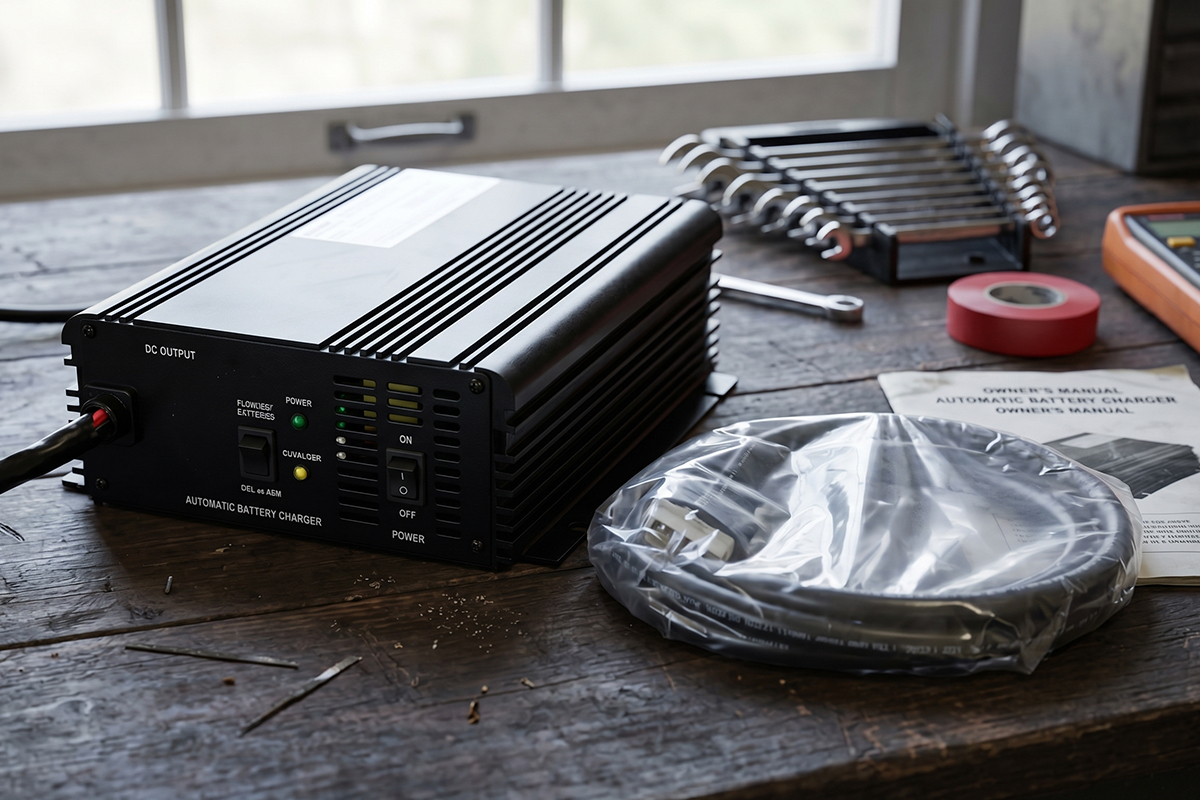
Schauer battery chargers are built to protect the system before charging begins. So when nothing happens, it usually means the charger is waiting, not failing. Most chargers need the right battery voltage and a clean connection to start.
If the battery is too low or the plug is not fully connected, the charger will pause until things are in range. This is normal and helps protect both the batteries and the charger. Simple steps often fix the issue. Clean the terminals, tighten the connections, and let the battery recover a little charge if needed. Then plug it back in.
Once the voltage and connection are right, the charger starts working as expected. Schauer battery charger troubleshooting really comes down to three things. Battery level, connection quality, and plug fit. When these are right, charging begins without delay.
Why Does Your Schauer Battery Charger Need Troubleshooting?
It feels frustrating when high-end equipment suddenly stops responding. You expect reliability, especially from a Schauer charger. So when it sits there with no activity, it can seem like something has gone wrong.
The truth is, these chargers are not simple power devices. They constantly monitor heat, check for short circuits, and evaluate battery condition before they start charging. Unlike older chargers that simply push power through, Schauer units are designed to pause when something does not look right.
Troubleshooting is not a sign of failure. It is part of the safety system. The charger is acting like a gatekeeper, only allowing power through when conditions are safe for the batteries.
Sometimes that caution goes further than expected. A weak battery may not respond properly, or the charger may wait longer than you expect. The key is understanding this interaction between charger and battery. It helps you see whether the system needs attention or is simply protecting itself.
Decoding the LED Diagnostic Matrix: How to Interpret Your Charger’s Light Patterns
Most people think a light means "on" or "off," but Schauer chargers speak a more complex language. Each color and blink pattern is a specific message about the health of your system. Understanding this visual code is the fastest way to solve any mystery. The following table breaks down exactly what your charger is thinking.
LED State | What It Means | Immediate Action |
Solid Red | Bulk Charging Mode | No action needed; power is flowing. |
Flashing Red | Connection Error | Check clamps for reverse polarity or loose grip. |
Solid Yellow/Orange | Absorption Mode | Wait; the battery is 80% full and topping off. |
Flashing Green | Float/Maintenance Mode | Battery is full; charger is keeping it healthy. |
Solid Green | Charge Complete | Ready to use. |
Red & Green Flashing | Timing Fault | The battery took too long to charge. Reset the unit. |
Solid Red Light: Understanding High-Current Bulk Charging vs. Connection Alarms
When you first plug everything in, a solid red light is a good sign. It means the charger has detected the battery and is delivering high current to start charging.
If the red light flashes right away, something is wrong. Most often, the clamps are reversed. Swap them and see if it stops. Let’s say, it still flashes, check for a blown fuse in the output cable, since a broken connection can look like a wiring error to the charger.
The Flashing Green State: Identifying Maintenance Mode and Battery Saturation
A flashing green light may look like a warning, but it’s actually a good sign. It means the battery is fully charged and the charger is now maintaining it with a small trickle of power.
This keeps the battery topped off and prevents natural discharge while it sits. You can safely leave it connected for weeks, as it maintains the charge.
Yellow or Orange Indicators: Troubleshooting Stalls During the Absorption Phase
The yellow light is the bridge between a dead battery and a full charge. In this stage, the charger holds a steady voltage while the current gradually drops. It’s the most sensitive part of the process.
If it stays yellow for more than 24 hours, the battery may have a soft short, meaning it’s losing energy internally as fast as it’s being charged.
Check the battery temperature. If it feels hot, stop charging. The charger is likely fine, but the battery may be failing.
Overcoming the 2-Volt Threshold: Why Your Schauer Charger Won’t Start a Dead Battery
Safety is a top priority for Schauer engineers. To prevent sparks or charging a damaged battery, these units have a "minimum wake-up voltage."
If your battery is completely flat, the charger acts like it isn't even plugged in. This logic is a double-edged sword. It keeps you safe, but it can make a good battery look like a lost cause.
Most Schauer models need to "see" at least 2 to 4 volts before they will click on. If you left your lights on and the battery hit zero, the charger will sit in silence. It thinks there is nothing connected to the clamps.
The Jumpstart Hack: Waking Up a "Dead" Battery
You can trick the charger into starting if you have a second power source. Think of it as a manual override for the safety sensor. And here is how you do it safely:
Connect your Schauer charger to the "dead" battery.
Grab a set of jumper cables and a healthy, charged battery.
Briefly connect the healthy battery to the dead one (positive to positive, negative to negative).
Plug in the Schauer charger.
Once the Schauer light turns solid red, remove the jumper cables.
Now that the charger sees some voltage, its internal computer will take over. It just needed that initial "spark" of data to know it was safe to work.
Resolving Power Failures: How to Identify and Replace Blown Internal Fuses
If your charger is completely dead with no lights, a blown fuse is the most likely cause. Fuses protect the internal circuits by failing first.
Schauer chargers typically have two fuses: one on the AC side (wall plug) and one on the DC side (battery cables). Some JAC models hide them inside the case.
Quick checklist:
Unplug everything before starting
Test the wall outlet with another device
Check the DC fuse in the red cable housing
Look inside vents for a dark or burnt glass fuse
Watch for a burnt smell, which may indicate more serious damage
When the fuse looks fine but there’s still no power, check the cord for internal breaks by gently moving it near the base.
Fixes for Loud Buzzing, Humming, and Internal Vibrations
A quiet hum is normal. It is the sound of electricity moving through the transformer. But a loud, angry buzz that vibrates your workbench is a cry for help.
Loud noises usually come from one of two things: loose parts or electrical "dirt." Over time, the transformer's vibrations can loosen the screws holding the outer shell. This creates a rattle that sounds much worse than it actually is. Tightening the casing screws often cuts the noise in half.
Symptom and Solution Table for Charger Noise
Before you start fixing anything, identify where the sound is coming from. Each noise usually points to a specific issue inside the charger.
Symptom | Probable Cause | Fix |
High-Pitched Whine | Failing Capacitor | Professional repair needed. |
Deep Rattle | Loose Housing Screws | Tighten external fasteners. |
Rapid Clicking | Low Input Voltage | Use a thicker extension cord. |
Loud Humming | Transformer Vibration | Move to a non-metallic surface. |
If your charger is clicking like a metronome, it is likely struggling to get enough power from your wall. Long, thin extension cords cause "voltage drop." This makes the internal relay kick in and out repeatedly. Always use the shortest, thickest cord possible.
The Pro-Level Electrical Audit: Using a Multimeter to Verify Actual Voltage Output
Sometimes you just don’t trust what the lights are telling you. The green light might be on, but the golf cart still feels sluggish. That’s when you grab a multimeter. It doesn’t guess, it just shows you what’s really happening in real time.
Testing a smart charger isn’t the same as testing a battery. If you measure the charger at the clamps while it’s unplugged from the cart, you’ll read zero volts. That’s normal. Remember the 2-volt rule: most smart chargers won’t output power unless they sense a proper connection. Here are step-by-step instructions for a live load test:
Set your multimeter to DC Voltage (the symbol with a straight line).
Connect the charger to the battery.
Plug the charger into the wall.
Touch the Red meter lead to the Positive post and the Black lead to the Negative post.
Watch the numbers.
For a 12V system, you should see the voltage climb toward 14.4V. For a 24V system, look for 28.8V. For 36V, you want to see 43.2V. And for a 48V system, the target is 57.6V. If the voltage stays at the battery’s base level (like 12.2V) and never moves, the charger is not actually "pushing" any current.
Charger vs. Battery: Identifying Sulfation and Shorted Cells That Mimic Charger Failure
Before you blame the charger, we need to talk about the battery. A charger is only as good as the battery it is feeding. If your battery is "sick," the charger will look like it is failing.
One common issue is Sulfation. This happens when a battery sits empty for too long. Lead sulfate crystals harden on the plates, acting like an insulator. The charger tries to send power, but the battery "rejects" it. This often causes the charger to skip straight to the green light even though the battery is still empty.
Side-by-Side Comparison: Charger Error vs. Battery Fault
Before assuming the charger is the problem, it’s important to look at the battery first. The charger can only respond to what the battery allows it to see.
Symptom | Likely the Charger if... | Likely the Battery if... |
Never reaches Green | The unit is cold to the touch. | The battery is boiling or hot. |
Skips to Green fast | The output fuse is blown. | The battery shows high voltage but no "cranking" power. |
No lights at all | The AC fuse is blown. | The battery is below 2V. |
If you have a flooded lead-acid battery, pop the caps. If the fluid is dark or cloudy, you have a physical cell failure. No amount of troubleshooting will fix a battery that has reached the end of its chemical life.
The Hard Reset Protocol: How to Clear Logic Board Errors and "Ghost" Faults
Computers get confused. Your Schauer charger has a microprocessor that can sometimes get "stuck" in an error loop. This often happens after a power surge or a lightning storm. A simple reset can clear these "ghost" errors and restore normal function.
A hard reset is more than just flipping a switch. You need to drain the stored energy inside the capacitors to truly start fresh.
The Correct Sequence for a Logic Board Reset:
Before diving into parts or replacements, it helps to reset the charger’s internal logic first. Many issues come from temporary faults that clear once the system fully resets.
Disconnect the AC power from the wall outlet.
Disconnect the DC clamps from the battery.
Wait exactly 10 minutes. This allows the internal components to lose their charge.
Reconnect the DC clamps to the battery first.
Plug the AC power back into the wall.
By following this order, you ensure the microprocessor sees the battery voltage at the exact moment it wakes up. This "handshake" is vital for the smart charging cycle to begin correctly.
Best Schauer Models For Less Troubleshooting
Choose a tool that just works. These three Schauer models are reliable, low-maintenance workhorses built to run cool and steady. Their simple design means fewer issues, less stress, and more time getting things done.
The Schauer JAC2512: Heavy-Duty and Hard to Break
If you have a massive battery bank, you need a charger with real muscle. This fast-acting 12V smart charger moves a massive amount of power without breaking a sweat. Because it is so strong, it does not struggle or overheat like smaller units do on big jobs. It keeps things cool, calm, and collected even when the work is hard.
Fast Power: Delivers 25 amps of current to fill large batteries in record time.
Rugged Shell: Uses a tough aluminum case to protect the smart brain inside from drops.
Pro Logic: Uses advanced 3-stage charging to prevent errors before they ever start.
High Utility: The perfect fit for boats, RVs, and deep-cycle systems that need daily power.
The Schauer CM1A: The Sentry That Never Sleeps
Not every job needs a sledgehammer. Sometimes, you just need a quiet friend to watch over your gear while you are away. This automatic battery tender and conditioner is the ultimate guardian. It keeps your cells fresh during the long winter months. It is so simple that there is almost nothing that can go wrong with it.
Steady Maintenance: Provides a safe 1-amp flow that is perfect for long-term storage.
Built-in Conditioner: Fixes battery plates while it charges to stop internal rot.
Safety First: It is fully automatic and will not overcharge or cook your cells.
Perfect Fit: Ideal for classic cars, motorcycles, and garden tractors that sit idle.
The Schauer JAC0524: The Reliable 24-Volt Workhorse
Mobility is everything when you rely on a scooter or a wheelchair. This scooter and wheelchair power supply is the gold standard for 24-volt systems. It is famous for its steady hand and consistent performance. It does not get confused by small voltage dips in the line. You can trust it to be ready every single time you plug it in.
Total Precision: Specifically tuned for the delicate needs of 24-volt battery packs.
Smart Start: Sensors detect battery health immediately to ensure a safe start.
Compact Design: Small enough to carry with you so you never get stranded.
Trusted Brand: The top choice for pros who maintain mobility aids and floor scrubbers.
Frequently Asked Questions: Rapid Solutions for High-Intent Troubleshooting Queries
Quick answers for when you are in a hurry. These are the most common questions from Schauer owners.
Why does my Schauer charger click repeatedly without starting?
This is usually caused by a poor connection or a battery that is right on the edge of the 2V threshold. Clean your battery terminals with a wire brush. If the clamps can't "bite" into clean lead, the voltage signal will be unstable, causing the internal relay to click.
Can I leave my Schauer JAC series charger connected all winter?
Yes. These are smart chargers. Once the battery is full, they switch to a maintenance mode. They monitor the voltage and only turn back on when the battery naturally dips. It is much better for the battery to be on the charger than to sit empty in the cold.
What does it mean when the Red and Green lights flash together?
This is a Timing Fault. Your charger has a safety timer (usually 18 to 24 hours). If the battery doesn't reach the "Full" stage within that time, the charger stops. This prevents it from overcharging a battery with a shorted cell. Check your battery health.
Is it safe to use a Schauer charger on AGM or Lithium batteries?
Schauer chargers are great for AGM and Gel batteries. However, unless your specific model is labeled for "Lithium," do not use it on LiFePO4 batteries. The charging profiles are different, and you could damage the battery's BMS.
Why does the green light come on when my battery is still weak?
It is called surface charge. The battery shows a quick voltage rise, and the charger reads it as full. Turn on the headlights for two minutes to remove it, then recharge. If it quickly turns green again, the battery is no longer holding a proper charge.
Extend Your Schauer Battery Charger Lifespan with Care
A charger lasts longer with simple, steady habits. Clean terminals, tight connections, and a dry, cool space keep everything running smoothly.
Dust or loose plugs can slow performance over time, so quick checks help maintain steady flow. Heat also matters. A cooler setup helps the charger work with less strain.
Most issues trace back to basic points like voltage, contact, or connection quality. Schauer Battery Charger Troubleshooting usually starts there. Small care, done often, keeps the system responsive and reliable for years.