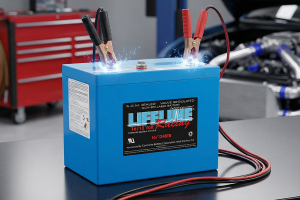
How to Get the Most from Your MP3 Batteries
The batteries that power your MP3 player are designed to provide a specific amount of audio playback time. This number is based upon optimal playing conditions. The amount of electricity that your device uses will determine how long your battery will last. Your MP3 has features and functions that you can readjust or refrain from using that will reduce the demand on the battery. If you make these adjustments, you can get the most from your MP3 batteries.
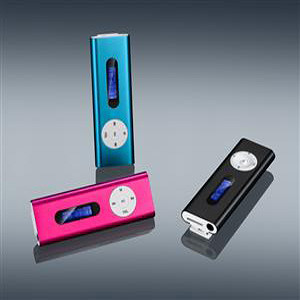
Backlight Management
The first item that you should adjust is the backlight. Brighter lights require more battery power than dim lights. You can conserve battery power by lowering the brightness. Another option is to set the backlight timer so that it goes off sooner. Decreasing the time that your light is on will reduce energy consumption. If possible, turn your backlight off during the day. You can turn it back on during low-light conditions. If you are familiar with the controls on your player, you may not need to use the backlight.
Turn Down the Volume
Speakers have an impedance level, which is also known as a resistive path. Increasing the volume also increases the voltage that travels to the speakers. Louder volume places a greater demand on your batteries than a lower volume. Turning your sound equalizers off will also help because this function requires power. You can also unplug external speakers and any accessories that are connected to the player.
Minimize Song Surfing
Although it may be more enjoyable to skip and search through your music library, this function also requires more power. You will also activate your backlight each time that you enter a command if you do not turn it off. The shuffle mode is a popular option, but it will drain your battery quicker than the normal mode. Your MP3 player must access the processor or hard drive in order to perform these tasks. You will conserve energy if you create a playlist because the player stores the upcoming music in a cache. It is more efficient for your player to use the cache than the hard drive. Songs that contain antipiracy protection rights require more power to play than simple MP3 files because your processor must work harder to decrypt the files.
Charging the Battery
One of the most important ways to get the most from your MP3 batteries is to charge your device in accordance with the manufacturer’s instructions. Partially charging the batteries can create a memory that prevents the battery from fully charging in the future. Allowing the battery to remain discharged for an extended period also damages the battery. Some rechargeable batteries do not have a memory effect.
Contact your battery retailer if you need assistance obtaining replacement MP3 batteries for your player.